You don't need HTML
As opposed to what might sometimes be believed, CSS turns out to be powerful. Today’s challenge is to write a web page with only CSS (or, at least, the least HTML possible).
Writing the HTML file
An HTML file is usually composed of a head (container for metadata) and a body (content of the page).
<!doctype html>
<html>
  <head>
    <title>My HTML page</title>
  </head>
  <body>
    <!-- Content -->
  </body>
</html>
Basic HTML template
In the HTML5 standard, the html, head and body tags can be omitted. The browser adds these elements to the DOM when it recreates the tree.
If we go further, we could write a single line of code in our HTML template: the link to the CSS. It will be automatically added to head.
<link rel="stylesheet" href="styles.css">
Designing the page
Now, we need to fill the page. CSS offers a property called content to write in an element. As the body node is added to the DOM implicitly, we can style it even if it doesn’t appear in the source code.
To use the content property, we will need to use ::before or ::after. Each appends a pseudo-element to the matching element. We can’t write text with content in the element itself, but only in its pseudo-elements.
body::before {
  content: 'My text';
}
To insert a new line in the content, we need to use the \a escape sequence and to specify the white-space property.
body::before {
  content: 'You \a don\'t need \a HTML';
  white-space: pre; /* or pre-wrap */
}
We have our first content in the page, without any HTML. We can now add a second content with the ::after pseudo-element.
body::after {
  content: 'Written with CSS';
}
It’s now up to you to design the page your own way!
The result
I tried to design the heading of an article. If you want to impress your mates, tell them to look at the source code!
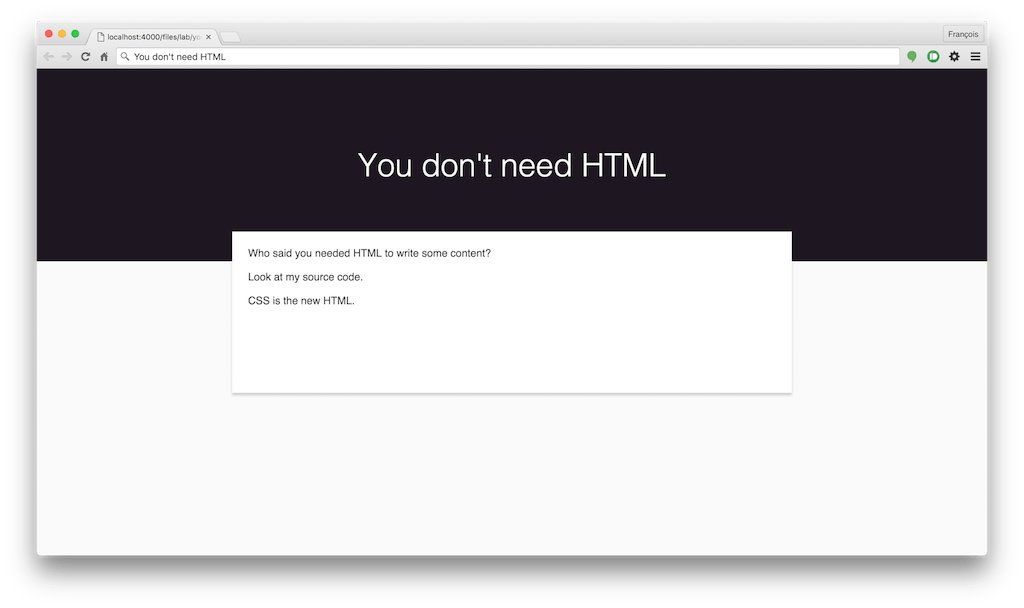
Preview of a page without HTML